

Action
Simulation
Casual
Indie
Oblivity - Find your perfect Sensitivity
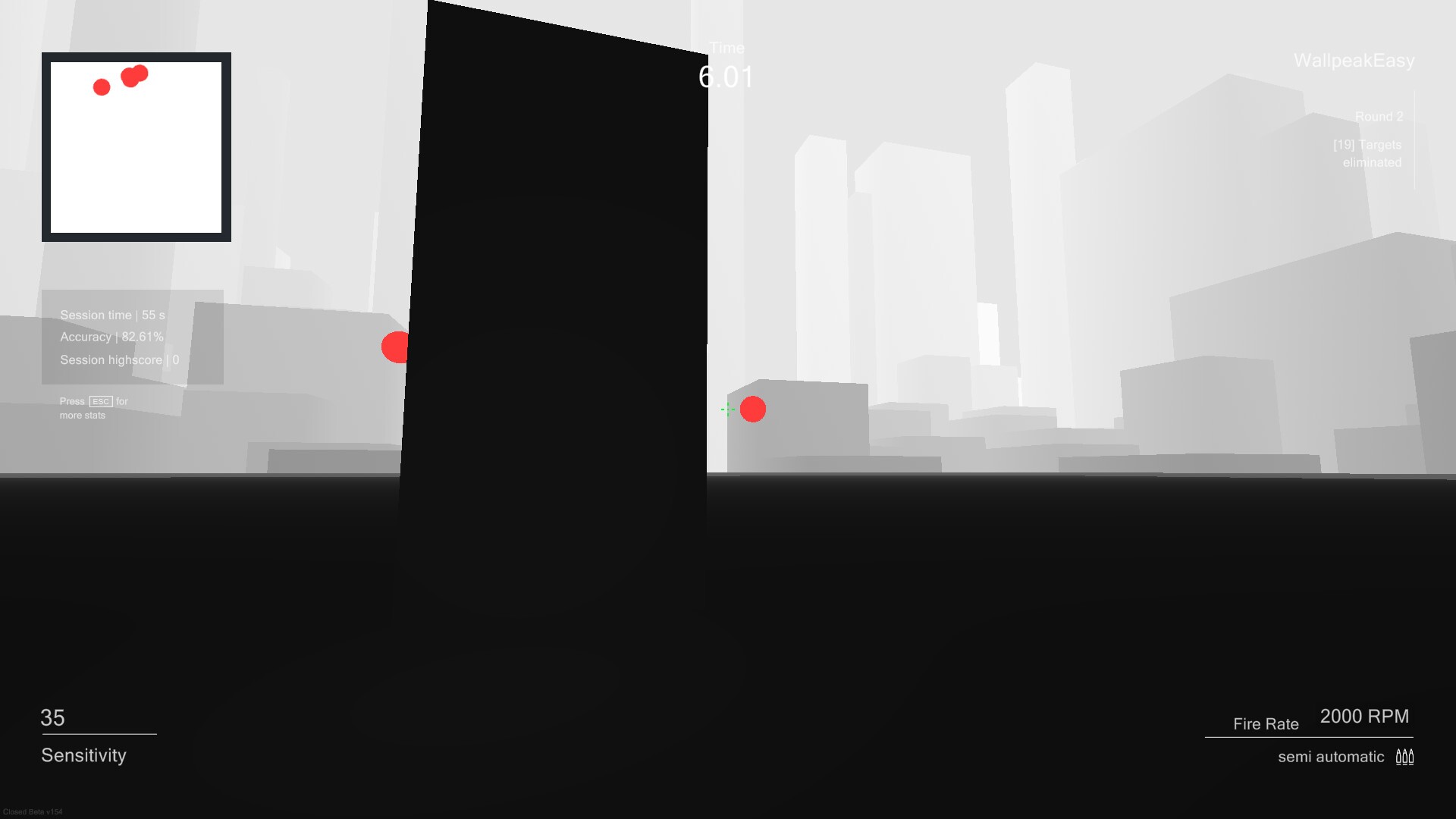
Sensitivity Finder: The sensitivity finder is a unique feature Oblivity is especially known for. It will help you to find an optimal mouse sensitivity for your favourite game! You play a selection of scenarios matching your selected FPS game. Each round your mouse sensitivity changes. Oblivitys algorithm tracks your performance and mouse movement data to determine the sensitivity you perform best with. Over a longer playtime, Oblivity can collect enough data to show you exactly how well you perform on different mouse sensitivity levels. Aim Trainer: In Oblivity's trainer you can try out your new mouse sensitivity right away. You will find anything in the continuously growing online library of scenarios and playlists. How high can you climb the leaderboards against other players and your friends? You can also create scenarios yourself, upload them and share them with the Oblivity community. Special aim training technies such as mouse pathing or metronom aiming are supported as well.Analysis: After your training session, you can immediately view the statistics of your runs in the analysis section. Oblivity provides as much data as possible to show where you have weaknesses and do aiming mistakes. This includes the usual information like accuracy, mouse speed and score. But you will also see data such as the deviation from the ideal aiming path, overshoot, undershoot or aiming smoothness. Replay: Every run can be rewatched with the replay tool. The timeline shows, where you did which mistake. Be it over- undershooting the deviation or your overall performance. The playback speed can be adjusted to any level. You can also turn on onscreen indicators that show your aim line compared to the optimal aiming path. Converter: Oblivity also offers a converter. It is not only intended to convert your new Oblivity mouse sensitivity to that of your favorite game. You can very accurately convert the sensitivity of all supported first person shooters to that of any another game.Options: Oblivity is fully customizable! You can adjust anything to create your perfect, individual aim training experience. To name some examples: Change any ingame colour, create your own crosshair, import your own sound effects and customize the ingame HUD. Of course you can also set all technical values. Oblivity supports different FOV types, each keybind can be changed, different monitor resolutions and aspect ratios are supported.


Action
Simulation
Casual
Indie
Oblivity - Find your perfect Sensitivity
Sensitivity Finder: The sensitivity finder is a unique feature Oblivity is especially known for. It will help you to find an optimal mouse sensitivity for your favourite game! You play a selection of scenarios matching your selected FPS game. Each round your mouse sensitivity changes. Oblivitys algorithm tracks your performance and mouse movement data to determine the sensitivity you perform best with. Over a longer playtime, Oblivity can collect enough data to show you exactly how well you perform on different mouse sensitivity levels. Aim Trainer: In Oblivity's trainer you can try out your new mouse sensitivity right away. You will find anything in the continuously growing online library of scenarios and playlists. How high can you climb the leaderboards against other players and your friends? You can also create scenarios yourself, upload them and share them with the Oblivity community. Special aim training technies such as mouse pathing or metronom aiming are supported as well.Analysis: After your training session, you can immediately view the statistics of your runs in the analysis section. Oblivity provides as much data as possible to show where you have weaknesses and do aiming mistakes. This includes the usual information like accuracy, mouse speed and score. But you will also see data such as the deviation from the ideal aiming path, overshoot, undershoot or aiming smoothness. Replay: Every run can be rewatched with the replay tool. The timeline shows, where you did which mistake. Be it over- undershooting the deviation or your overall performance. The playback speed can be adjusted to any level. You can also turn on onscreen indicators that show your aim line compared to the optimal aiming path. Converter: Oblivity also offers a converter. It is not only intended to convert your new Oblivity mouse sensitivity to that of your favorite game. You can very accurately convert the sensitivity of all supported first person shooters to that of any another game.Options: Oblivity is fully customizable! You can adjust anything to create your perfect, individual aim training experience. To name some examples: Change any ingame colour, create your own crosshair, import your own sound effects and customize the ingame HUD. Of course you can also set all technical values. Oblivity supports different FOV types, each keybind can be changed, different monitor resolutions and aspect ratios are supported.
FAQ
Where can I buy the game?
You can purchase the game directly from the available links on this page, including official stores and authorized platforms.
How do I know when in-game items or DLC become available?
Where can I follow updates about the game?
You can follow the game’s official social media channels, website, or join its community platforms like Discord or Reddit. Important updates will also be shared here on Xsolla Mall.
Is this game available on my platform?
Supported platforms and other game details are listed on the game page. If you don’t see your platform, it may not be supported yet.
Are there any special editions or bundles?
If available, special editions and bundles will be listed under the purchase section on the game page.

All rights reserved, 2026. This site uses cookies.
Privacy Policy
Legal Agreements
Privacy Settings
All rights reserved, 2026. This site uses cookies.